Read and Build a Scene Short E CVC Sentences Cut and Paste Kindergarten 1st
- 25 pages
- Kindergarten, 1st
$5.00
DownloadOr get it with All-Access: pick any 20 resources a month for $7.
New here? Your first month of All-Access is half off with code TEACHERTOK
Already bought this, or a member?
Instant download. One teacher's license: colleagues need their own copy. Each file carries a license number.
Also on Teachers Pay Teachers: see the Bright Path Sped store
About this resource
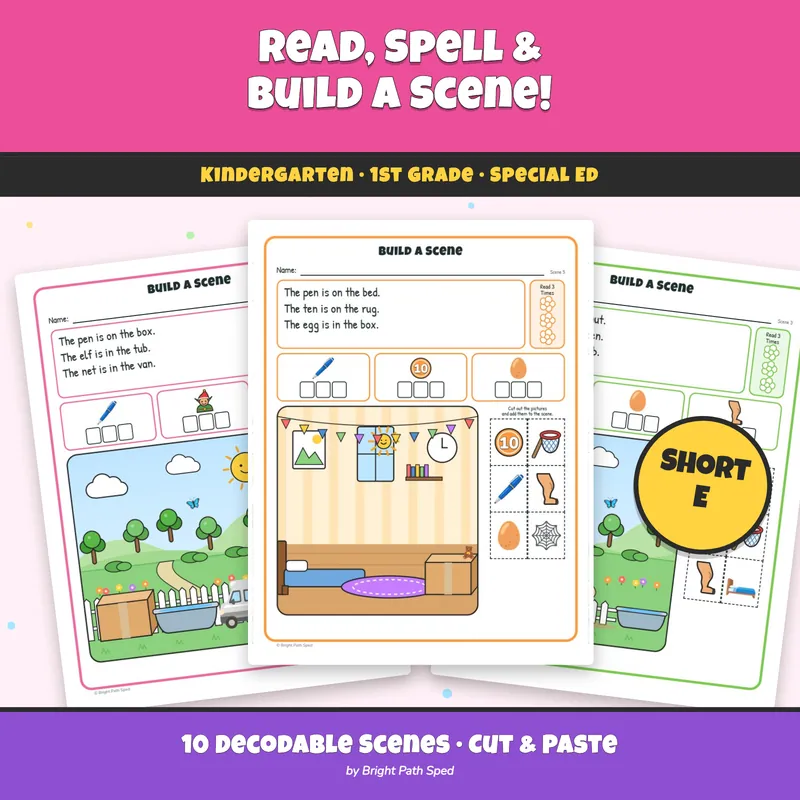
A build-a-scene activity where every piece — and every piece that ISN'T supposed to go in the scene — is a
word the child has to read, not guess from the picture. Ten short-e scenes: a yard, a campsite, a farm, a pond
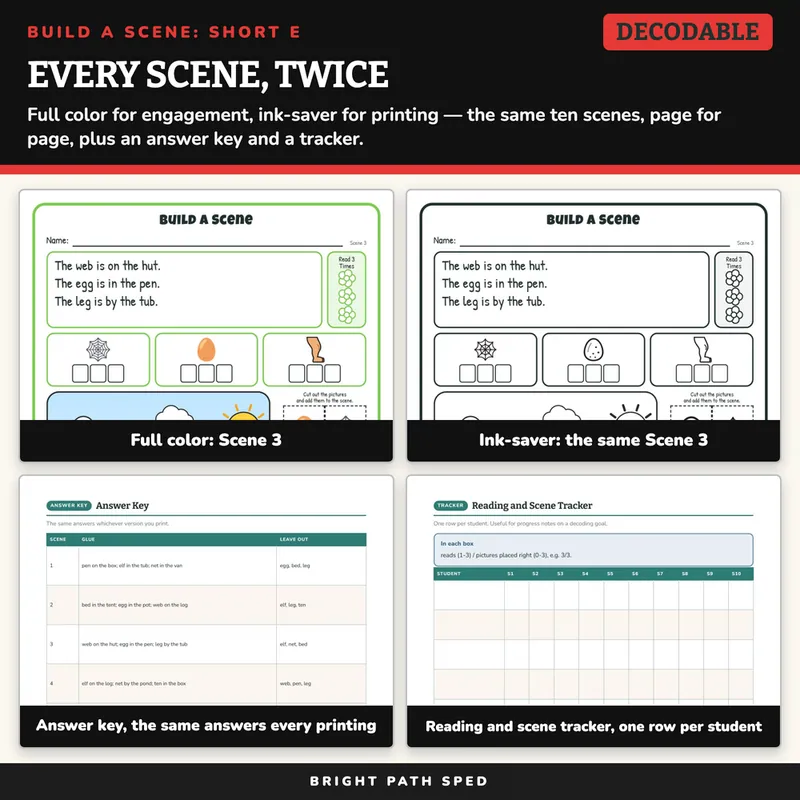
and a bedroom, each visited twice with new sentences and a new set of pictures. Every scene comes twice — full
color and an ink-saver black-and-white twin — so one purchase prints either way.
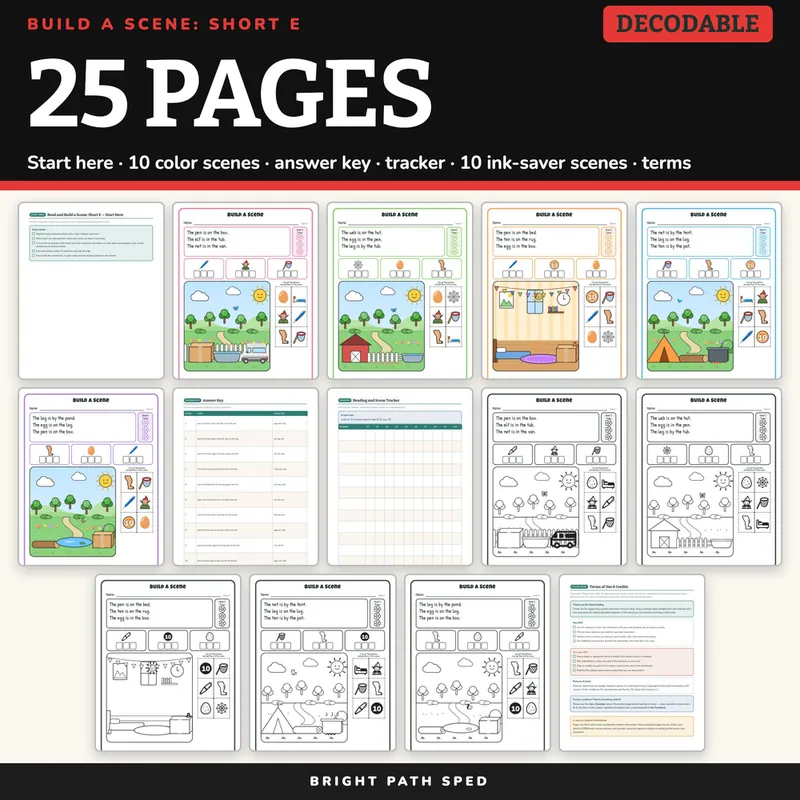
EVERYTHING INSIDE (25 pages)
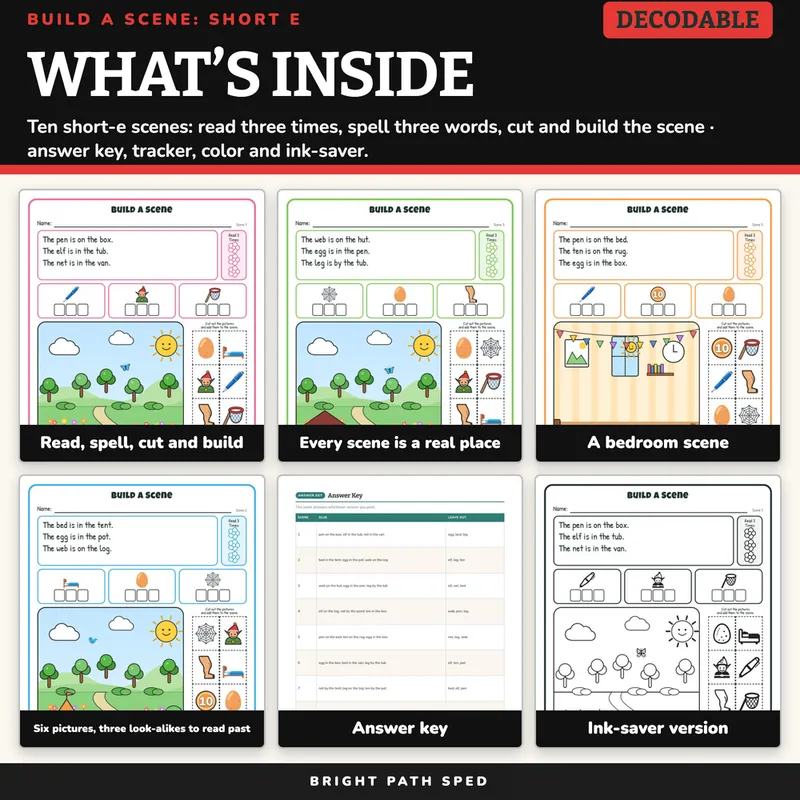
- 10 full-color scenes: three decodable sentences ("The ___ is on / in / by the ___."), a Read-3-Times flower
tracker, three word-work boxes (say the picture, write one letter per box), a large illustrated setting,
and six cut-and-paste pictures in an edge-to-edge strip — only three belong in the sentences; the other
three are short-e words that don't (Scene 1 leaves out an egg, a bed and a leg; Scene 2 leaves out an elf,
a leg and a ten) so the student has to read to choose
- The same 10 scenes again, ink-saver black-and-white, page for page
- 1 Start Here page with the five-step routine
- 1 answer key (the same three answers per scene, whichever version is printed)
- 1 reading-and-scene tracker, one row per student, ten scenes across, with type-in fields (12 student rows)
- 1 Terms of Use & Credits page
- 8 short-e words in all (bed, egg, elf, leg, net, pen, ten, web). The bed, pen and web pictures come from
Google Noto Emoji and Microsoft Fluent Emoji; the net, elf, leg and ten are drawn for this product in color
and ink-saver (the ten is the numeral 10 on a round sign), and so is the ink-saver egg (the color egg is
Noto), because no emoji in either catalog reads unmistakably as those words
How Each Scene Works
1. Read the three sentences three times, coloring a flower each time.
2. Word work: say each picture's word, then write one letter in each box.
3. Cut out the six pictures. Only three are in the sentences — the other three are short-e words that don't
belong, so the student has to read to choose, not match a picture to a picture.
4. Glue each picture where its sentence says: on, in or by.
5. Check with the answer key. Log the reads and the pictures placed on the tracker.
Why The Look-Alikes Matter
A cut-and-paste page with only the pictures a sentence needs can be solved by matching shapes, never reading
a word. Every scene here adds three more short-e words that could belong in the picture but don't belong in
THIS sentence (Scene 2 glues a bed, an egg and a web, and also offers an elf, a leg and a ten) — so building
the scene correctly means decoding the sentence, not recognizing the picture.
Cut-And-Paste, With One Type-In Page
Pieces are cut with scissors and glued by hand, and the name line and word-work boxes are pencil work: the
scene pages are print-and-cut. The one exception is the tracker page (page 14), which has type-in fields for
student names and scene scores, so you can type on screen before printing or fill it in by hand. This is a PDF;
it is not a Google Slides or PowerPoint file.
Who This Is For
Kindergarten and first-grade classrooms, self-contained and resource rooms — anywhere a student is ready for
short-e words and a simple prepositional sentence, with room to work and pieces sized for scissors that
aren't yet precise.
What This Is, And What It Is Not
A decoding and prepositional-sentence cut-and-paste activity. It is not a reading assessment, not a
speech-language evaluation tool, and not a claim about any student's age, grade level, or rate of progress —
the tracker has a blank line for your own district's criterion.