Skeletal System Worksheets
- 25 pages
- 6th, 7th, 8th
$2.25 $4.50 on Teachers Pay Teachers
Half the Teachers Pay Teachers price. The same PDF, sold direct.
DownloadOr get it with All-Access: pick any 20 resources a month for $7.
New here? Your first month of All-Access is half off with code TEACHERTOK
Already bought this, or a member?
Instant download. One teacher's license: colleagues need their own copy. Each file carries a license number.
Also on Teachers Pay Teachers: see the Bright Path Sped store
About this resource
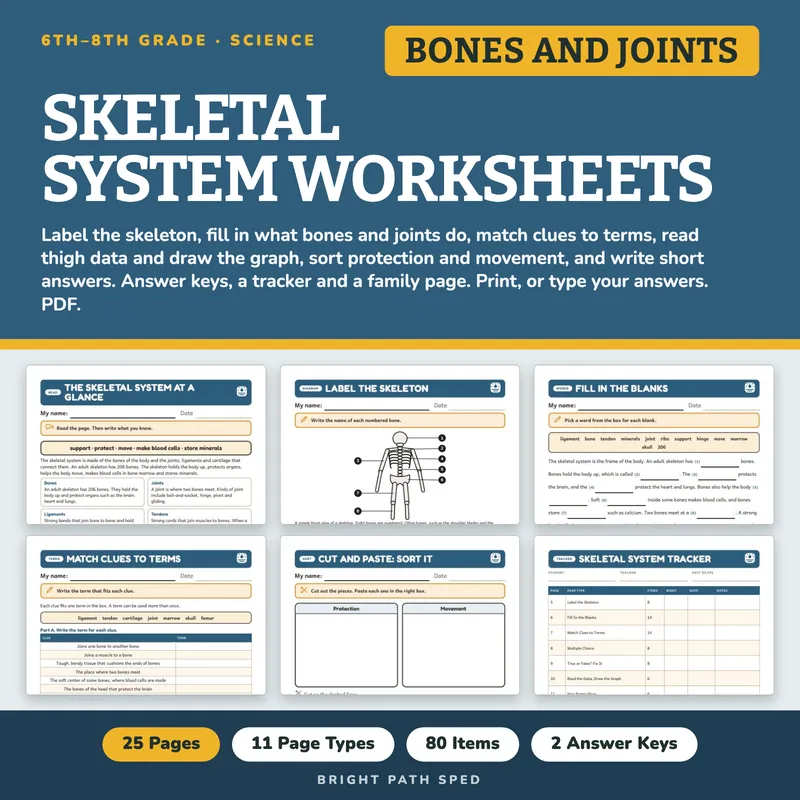
EVERYTHING INSIDE (25 pages)
- 11 student pages in 11 page types: The Skeletal System at a Glance, Label the Skeleton, Fill In the Blanks, Match Clues to Terms, Multiple Choice, True or False? Fix It, Read the Data and Draw the Graph, How Bones Move, Cut and Paste Sort, Short Answers and Explain It
- 80 scored items on 10 pages, every answer read from the same lists that draw the pages
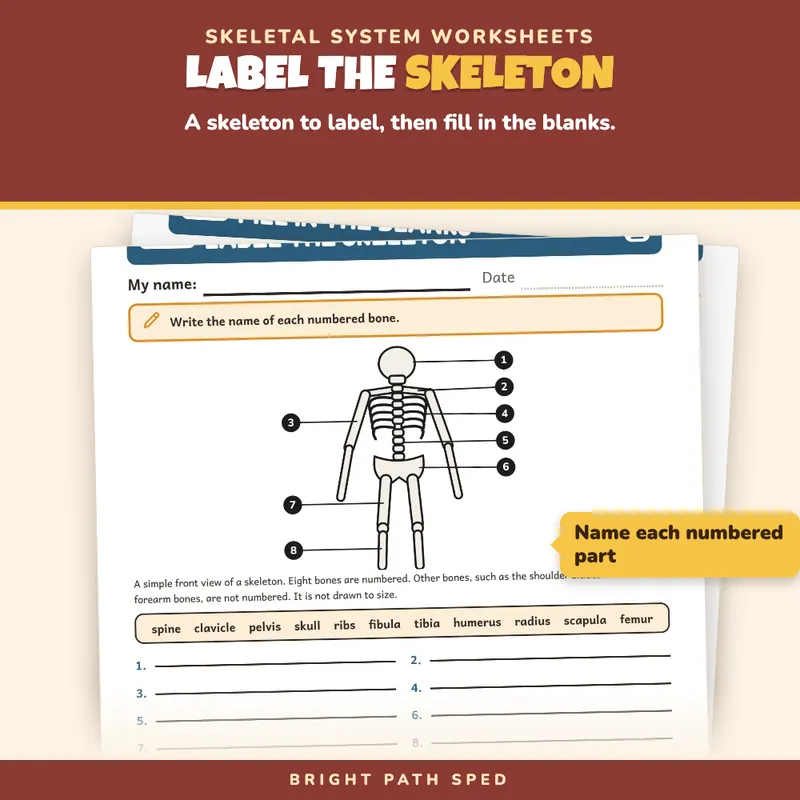
- 8 numbered bones to label on a skeleton drawn in code (skull, clavicle, humerus, ribs, spine, pelvis, femur, tibia), with a word box of 11 (three are not used)
- 10 blanks in a paragraph about what the skeleton does (206 bones, support, protection, movement, marrow, minerals, joints, ligaments and tendons), from a word box of 12 (two are not used), plus a 4-step path to write in order
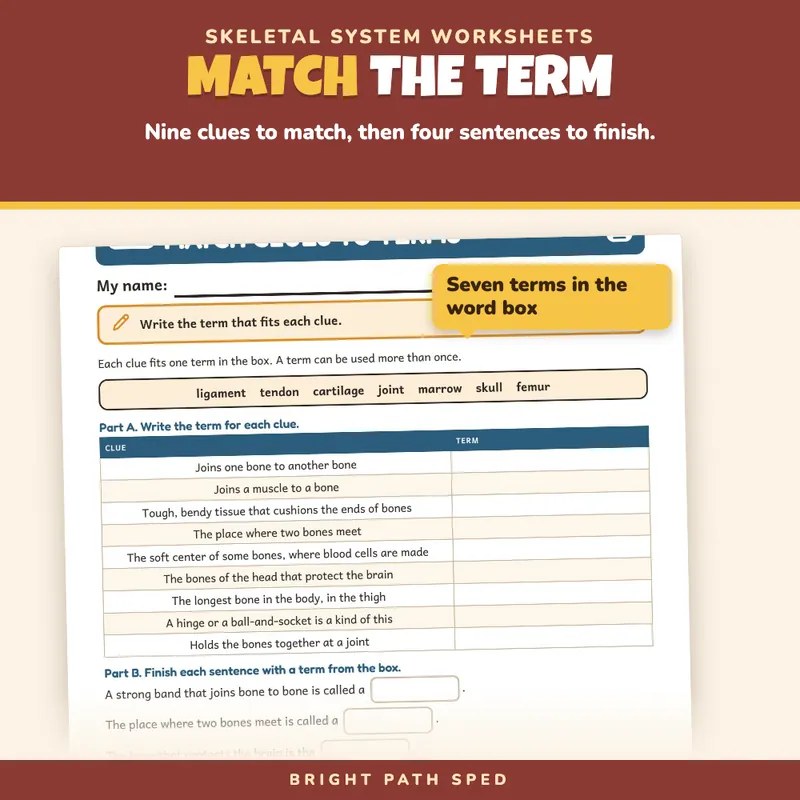
- 9 clues to match to a term (ligament, tendon, cartilage, joint, marrow, skull, femur), 4 sentences to finish and 1 written explanation
- 8 multiple-choice questions and 8 true-or-false statements (with a line to fix each false one)
- 1 table of invented class data (thigh length in centimeters for five invented students) and a graph grid to draw on
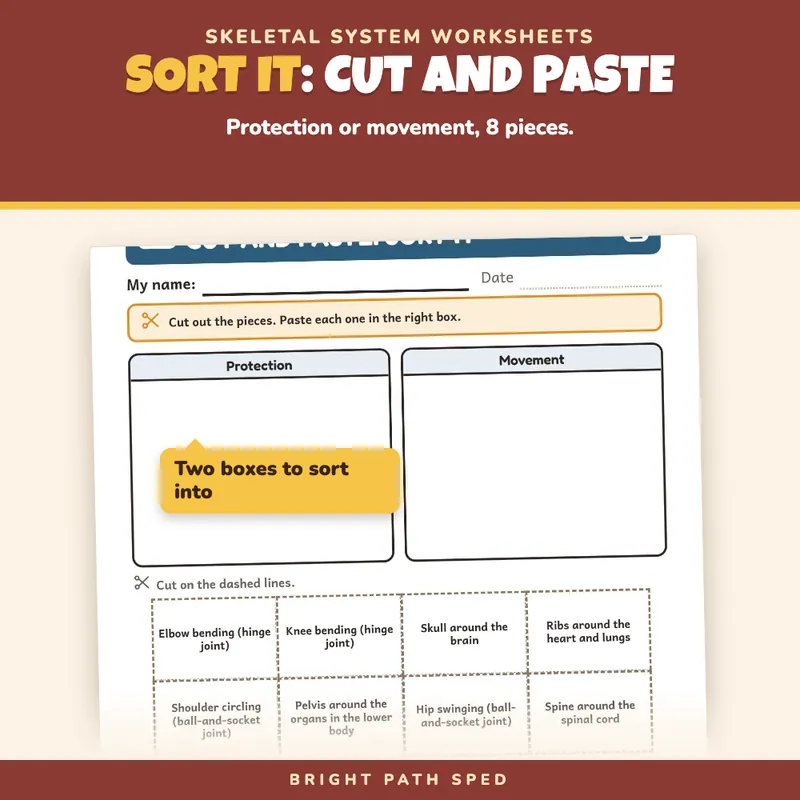
- 8 cut-and-paste pieces on one two-box sort mat (protection and movement), edge to edge, each piece 1.75 in by 1.15 in
- 5 short-answer questions with 4 writing lines each, and 3 explanation prompts with 5 or 6 writing lines each
- 2 answer keys, checked against the questions
- 1 tracker (page, page type, items right, date) and 1 whole-class progress grid
- 1 progress note (a hand-off page between team meetings) and 1 family page
- 1 filled example (an invented student, Jordan T.), 1 phrase bank (15 starters in 5 groups), 1 binder cover and 6 divider tabs with a spine label to cut out
- Start Here page
The Page Types
1. The Skeletal System at a Glance: the five jobs of the skeleton in one line, six cards (bones, joints, ligaments, tendons, cartilage, bone marrow), and lines to write what the student knows.
2. Label the Skeleton: a simple front-view diagram with eight numbered bones, a word box, and two questions with writing lines.
3. Fill In the Blanks: a paragraph with 10 numbered blanks, then a four-step path to write in order, then a short written question about a word not used.
4. Match Clues to Terms: nine clues and a box for the term, four sentences to finish, and a written comparison of a ligament and a tendon.
5. Multiple Choice: 8 questions with four lettered choices each. The right letter moves from question to question.
6. True or False? Fix It: 8 statements, a T or F box, and a line to rewrite each false one.
7. Read the Data, Draw the Graph: invented class data, a graph grid, two short answers and three written answers.
8. How Bones Move: fill in the path from a muscle to a tendon, a bone and a joint, name two kinds of joint, then explain the movement in 11 lines using words from a box.
9. Cut and Paste: Sort It: 8 pieces to sort into protection or movement, then a sentence comparing a ligament and a tendon.
10. Short Answers: 5 recall questions with 4 lines each.
11. Explain It: 3 prompts (how a bone, a joint and a tendon help the arm bend, how the skeleton protects the body, and a friend who says bones only hold the body up) with 5 or 6 lines each and sentence starters.
Built For The Student Holding The Page
A big "My name" line, one short instruction, body text at 11 point or larger, answer boxes you can type in or write in, and writing lines at a size that fits middle school handwriting. There are no cartoon characters or baby-ish borders. Nothing on a student page is written for an adult; the keys, tracker and notes are on separate teacher pages. The file prints clean in black and white.
No Guessing The Answer
Wherever a student picks among printed spots (the lettered choices, the order of true and false, the order of the cut pieces) the position of the right answer is checked in code so it does not sit in the same spot three times in a row.
Type In, Or Print
The name line, every answer box, blank and writing line is a type-in field in any PDF reader: click one, type, then save. The same goes for the tracker, the class grid, the progress note and the family page. This is a fillable PDF; it is not a Google Slides or PowerPoint file. The graph and the cut-and-paste sort are for pencil and scissors.
Who This Is For
Middle school science classes, resource rooms, co-taught classrooms and special education teachers who need a complete skeletal system unit at grades 6-8 content with room for support: a word box, sentence starters and a reference page. It can be used as a unit, as stations, or one page a day.
What This Is, And What It Is Not
A skeletal system worksheet set with the record-keeping around it. The science is the standard middle school textbook version. It is not a timed test, a screener, a clinical tool, health or medical advice, or a claim about any student's age or rate of progress. The thigh measurements are invented for practice and say nothing about what any person's body should measure. There is no IEP goal language or eligibility wording anywhere in the file.