Executive Functioning Activities Binder
- 157 pages
- 3rd, 4th, 5th, 6th, 7th, 8th
$9.00 $18.00 on Teachers Pay Teachers
Half the Teachers Pay Teachers price. The same PDF, sold direct.
DownloadOr get it with All-Access: pick any 20 resources a month for $7.
New here? Your first month of All-Access is half off with code TEACHERTOK
Already bought this, or a member?
Instant download. One teacher's license: colleagues need their own copy. Each file carries a license number.
Also on Teachers Pay Teachers: see the Bright Path Sped store
About this resource
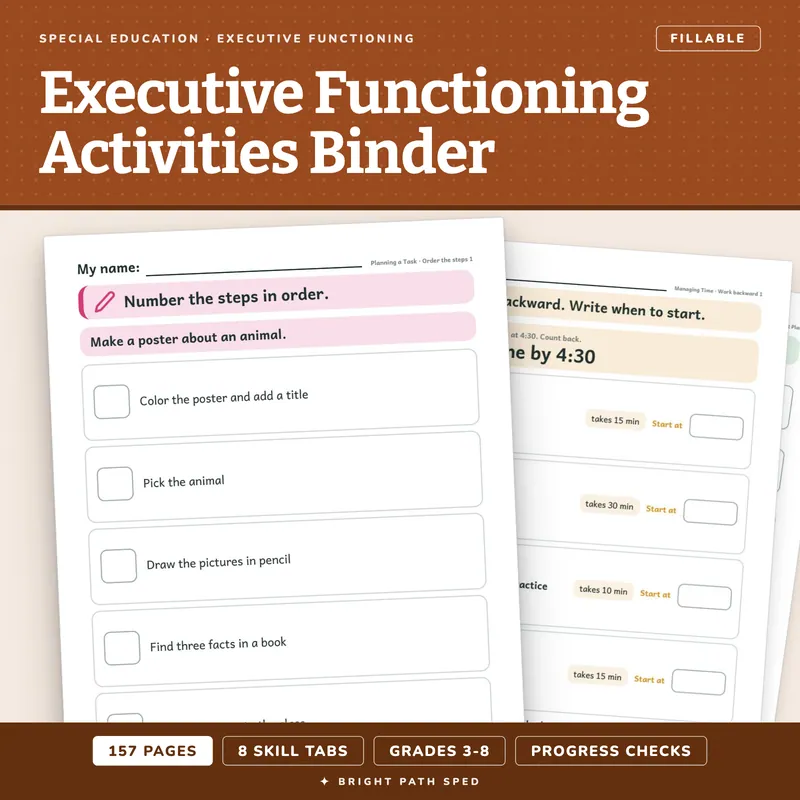
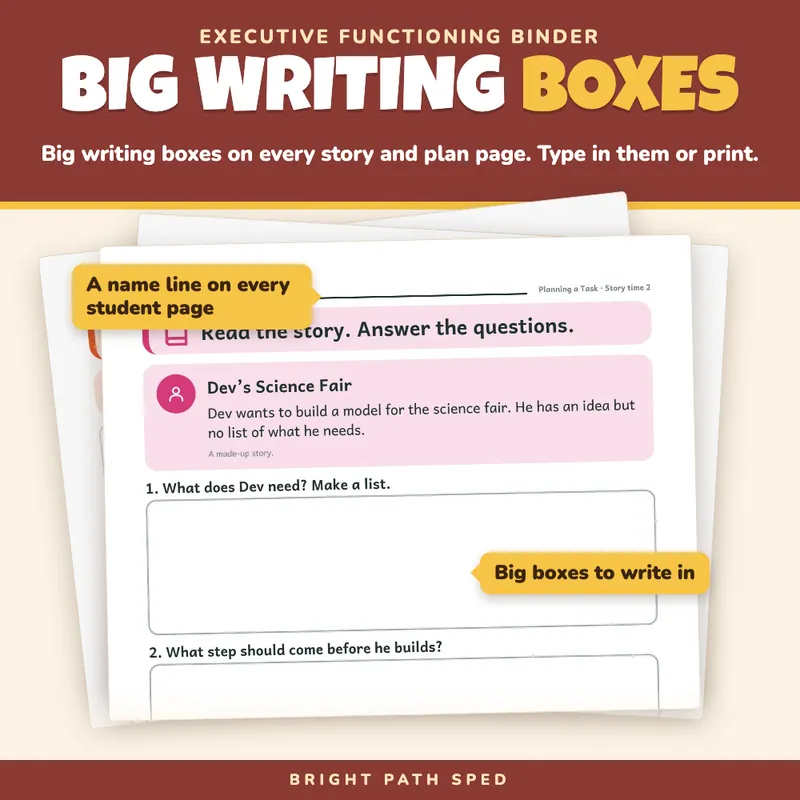
Executive functioning practice that fits in one binder. Print it once, slip the student pages into sheet protectors, and a student in grades 3 to 8 can plan a job, find their materials, guess and track their time, get started, remember directions, check their own work, switch to Plan B and check in on a goal. Eight tabs, 157 pages, every student page with a My name line and one short instruction, and big writing boxes on every story and plan page.
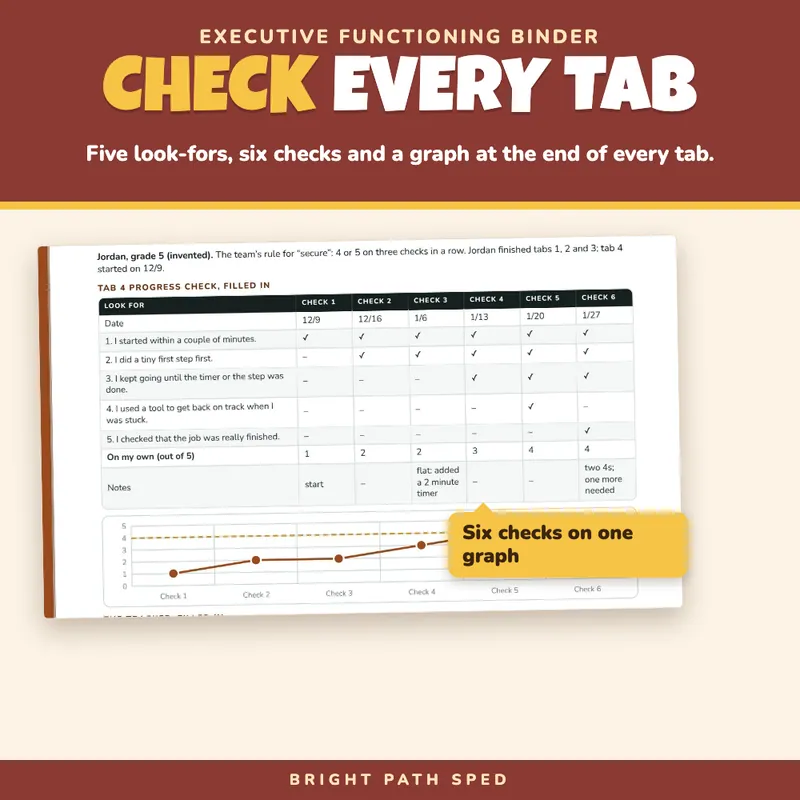
Each tab has the same 18 pages, so you learn the pattern once. A divider that lists the page types and their page numbers. A teacher page (how to teach the tab in about ten minutes, what to say, an answer key, how to make it easier or harder). A learn-it page for the student with a drawing and four short tips. Fourteen practice pages in three steps, easiest first. And a one-page progress check at the end.
EVERYTHING INSIDE (157 pages)
- 8 tabs of 18 pages each = 144 pages: 8 dividers, 8 teacher pages, 8 learn-it pages, 112 practice pages, 8 progress checks.
- 120 student pages: the 112 practice pages plus the 8 learn-it pages. Each has a My name line, one instruction with a picture cue and room to work; the story and plan pages have big writing boxes. Type in the boxes or print and write.
- Front pages: a binder cover, terms of use, two contents pages, a Start Here page (three steps, which tab for which problem), a week-by-week and year plan, a student progress tracker, a filled-in example for an invented student, a family update, a hand-off note for the next adult, a sentence-starters page and a page of spine and tab labels.
- 1 back page with the four next products in this collection.
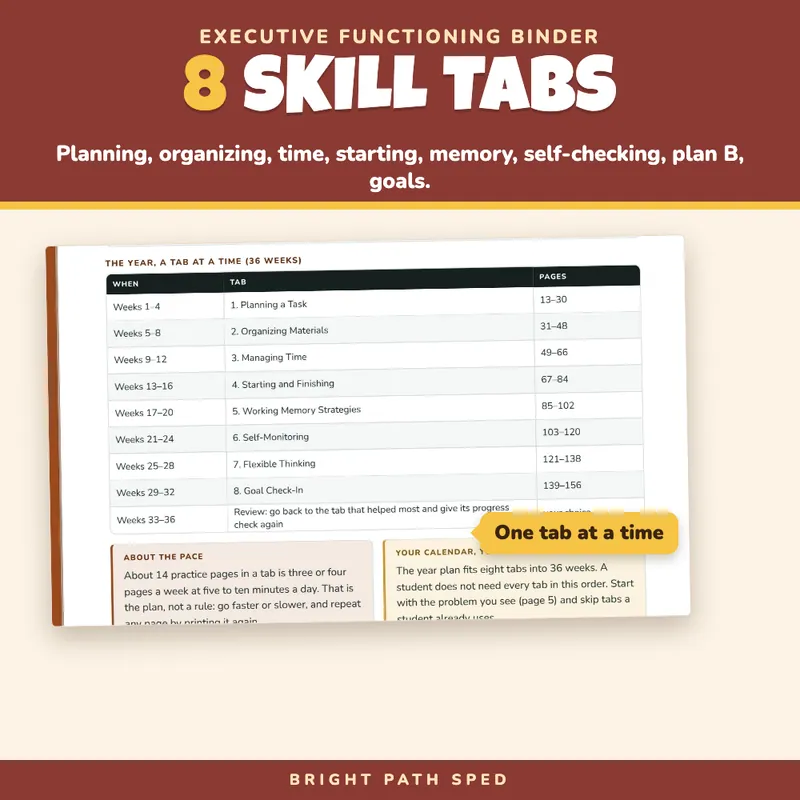
THE EIGHT TABS (pages)
1. Planning a Task (13-30): break a job into steps, say what you need, pick when each step happens.
2. Organizing Materials (31-48): a home for everything, packing a bag, clearing a desk, labeling a folder.
3. Managing Time (49-66): guess how long, work backward from a due time, split a big job across days, check the guess against the clock.
4. Starting and Finishing (67-84): the tiny first step, a timer, getting back on track, checking that the job is finished.
5. Working Memory Strategies (85-102): write it down, chunk a long list, say the steps, use a checklist.
6. Self-Monitoring (103-120): stop and check, rate your work 1 to 4 and say why, notice when your mind wanders, fix one thing.
7. Flexible Thinking (121-138): notice a plan is not working, stop and think, make a Plan B.
8. Goal Check-In (139-156): a goal you can count, small steps, a check-in day, the next step.
The 14 Practice Pages In Every Tab
- Guided pages (5): order the steps (or work backward from a due time in the time tab), choose the best step and tell why, and a sort with a short answer.
- Stories (4): a short made-up story with three questions and a big box for each answer.
- Your own life (5): two plan or reflection forms, two tables to fill in, and a rate-it page with six lines and a box for one thing to try next.
In all: 14 order-the-steps pages and 2 work-backward pages, 16 choose-the-best-step pages (48 questions), 8 sort pages (64 items), 32 story pages (96 questions), 16 plan forms, 16 tables and 8 rate-it pages.
How It Is Used
- One-to-one and small groups: open the tab the student needs, work five to ten minutes a day, wipe the page.
- A week-by-week plan for one tab (show it, try it with help, try it on real life, check and decide) and a 36-week plan for the whole year are on page 6.
- A reading, study hall or resource block; a paraprofessional can run any page because the instruction is on it.
- The family update page is ready to send home, and the hand-off note carries the practice to a sub, an aide or next year's teacher.
What This Is, And What It Is Not
This is a practice binder for planning, organizing, time, starting and finishing, memory strategies, checking your own work, changing plans and goals, with a progress check for each tab. It is a PDF: print it, or type into the boxes, the check pages and the tracker. It is not a curriculum, not a test, not therapy or a treatment plan, and not Google Slides, Google Docs or PowerPoint. The progress checks carry no benchmark score; your team decides what counts as secure. The stories are made up, and the example student is invented.
Who This Is For
Special education teachers, resource and intervention teachers, general education teachers with a small group, school counselors, tutors and paraprofessionals who work with students in grades 3 to 8 on school skills like planning, staying organized and finishing work.
More From This Collection
Executive Functioning Activities | Task Breakdown, Planner, Checklists is a shorter set of task-breakdown pages, a planner and checklists. Executive Functioning Curriculum | Planning Worksheets Grades 6-12 is written for older students. Goal Setting Template Students (grades 3-12) goes with the goal check-in tab, and Executive Functioning Checklist Editable is an observation checklist to help choose which tab to start with.