Word Categories Sorting and Classifying Progress Monitoring Data Sheets Editable
- 22 pages
- Not Grade Specific
- PDF, fillable
$3.50
DownloadOr get it with All-Access: pick any 20 resources a month for $7.
New here? Your first month of All-Access is half off with code TEACHERTOK
Already bought this, or a member?
Instant download. One teacher's license: colleagues need their own copy. Each file carries a license number.
Also on Teachers Pay Teachers: see the Bright Path Sped store
About this resource
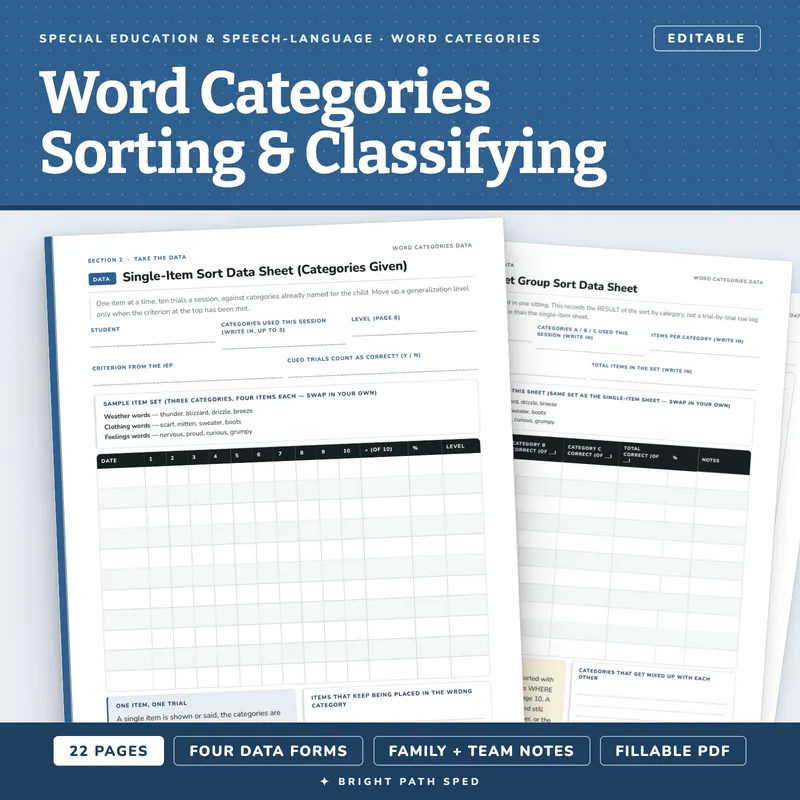
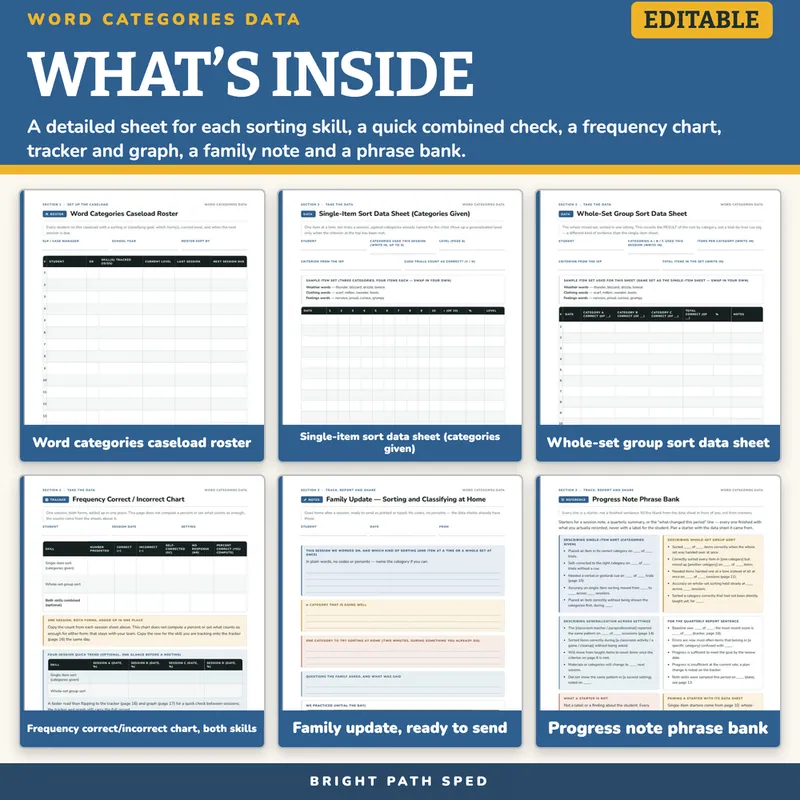
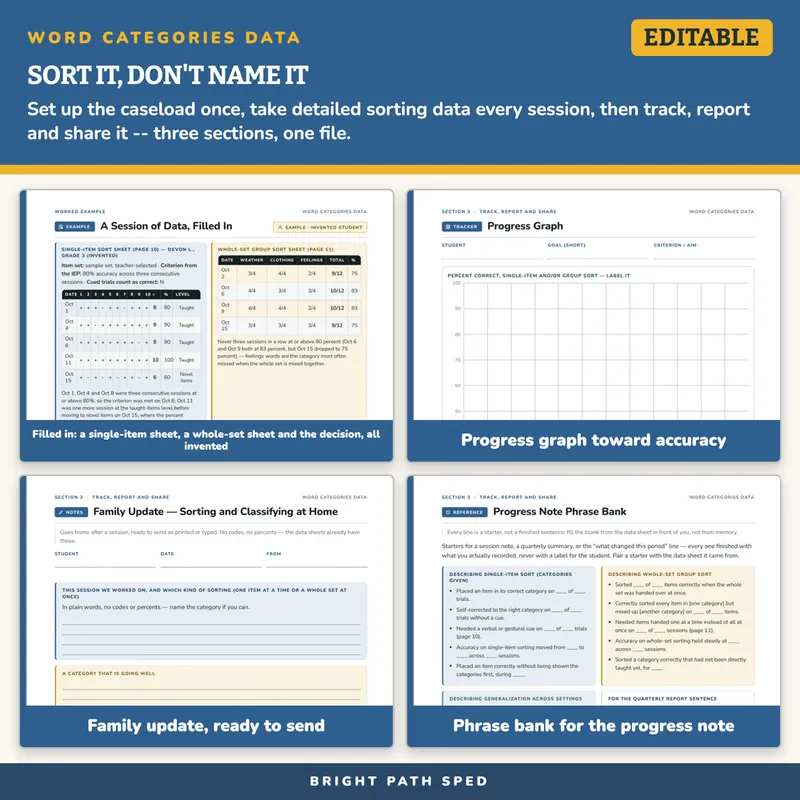
Everything inside: 22 pages, 699 type-in fields · a detailed sheet for sorting one item at a time against categories already named for the child and a separate sheet for sorting a whole mixed set at once, each with its own 3-category, 12-item sample set · a quick combined daily check · a within-session frequency chart with a 4-session quick-trend table · a whole-caseload roster · a binder cover and 4 cut-out tabs · a 2-skill, 12-session tracker and graph · a quarterly summary · a family update · a 20-starter phrase bank · a plain-language paraprofessional/classroom form · a worked, invented example.
Speech-language pathologists and special educators are asked to show whether a sorting-and-classifying goal is changing, across however many students are on a caseload — not one page spread across a six-domain pack that also carries synonyms, antonyms, multiple-meaning words, figurative language and word-family production, and not a relabeling of the store's own fixed probe forms. Sorting is its own skill: can the student place an item into its correct group when the groups are already named, and can the student sort a whole mixed set at once without being cued item by item. Run the single-item sheet, the whole-set sheet, or the quick combined check, mark where each item actually landed, add the session up on one chart, and roll it into a report and a family update that write themselves. Every mark on every page says only whether an item was placed in its correct category, as judged that session — never a score against a published norm, a name for a condition, or a rule for when a referral is warranted.
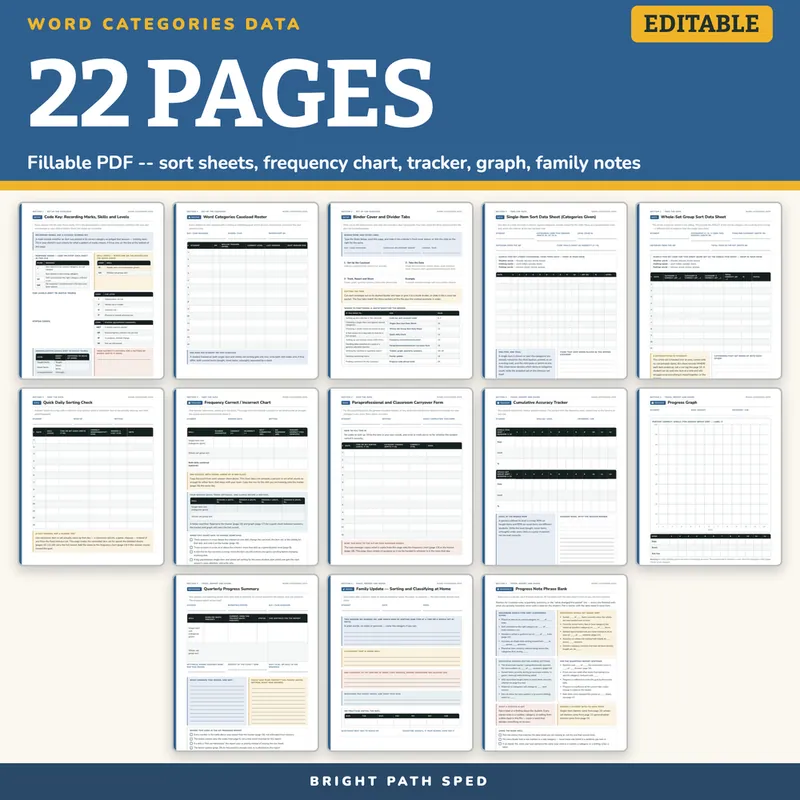
WHAT IS INCLUDED — 22 pages
Set Up The Caseload
- Code Key: Recording Marks, Skills and Levels — 4 response marks (+/−/SC/NR), 2 skill codes (IS/GS), 4 cue-level codes, 4 progress-status codes, 3 generalization levels (taught items/novel items/untaught), every descriptor a blank line the team defines
- Word Categories Caseload Roster — 14 rows: student, skill(s) tracked, current level, last session, next session due
- Binder Cover and Divider Tabs — a spine/cover card, 4 cut-out tabs matching the file's sections, and a 9-row "where to find things" index
Take The Data
- Single-Item Sort Data Sheet (Categories Given) — a sample 3-category, 12-item set, 11 session rows of a 10-trial grid, criterion and cued-trial fields
- Whole-Set Group Sort Data Sheet — the same sample set sorted all at once, 11 session rows recording the per-category correct count (out of the team's own total) rather than a trial-by-trial cue log, so the two sheets are genuinely different kinds of evidence, not the same page twice
- Quick Daily Sorting Check — a 13-row log for whichever item or set actually came up that day, trading the fixed item set for speed
- Frequency Correct/Incorrect Chart — one row per skill (2 rows) plus an optional combined-totals row, tallying presented/correct/incorrect/self-corrected/no-response for the session, plus an optional 4-session quick-trend table (2 rows x 4 sessions) and a 4-item "when to change something" checklist
- Paraprofessional and Classroom Carryover Form — 12 rows, plain words instead of codes, for the adult in the room who is not the SLP or case manager
Track, Report And Share
- Cumulative Accuracy Tracker — two full 12-session blocks, one for single-item sorting and one for whole-set sorting, with date, level and percent correct logged each session
- Progress Graph — a scaled 0–100 grid to plot the trend, with an aim line
- Quarterly Progress Summary — a 2-row table (one per skill: baseline, current level, status, one sentence), settings/percent/next-step fields, two write-on cards, and a 4-item "before this goes in the report" checklist
- Family Update — Sorting and Classifying at Home — a ready-to-send communication page: what was worked on and which kind of sorting, a category that is going well, one category to try at home, family questions and answers, and a 7-day practiced table
- Progress Note Phrase Bank — 20 observable-language starters across 4 groups (single-item sort, whole-set group sort, generalization across settings, the quarterly-report sentence), every one ending in a blank pulled from a data sheet in the file
Plus a Start Here quick-start, a 3-section contents page with real page thumbnails, 3 section dividers, and a "what's next" back page.
What This Is, And What It Is Not
It is a fillable PDF. Open it in a PDF reader, click a field, type, Save As once per student. It works offline with no account or subscription. It is NOT a Google Sheets file, a Google Doc, or an Excel workbook, and it does not score a response against a published norm or compute a percent for you.
It is not Category Naming Progress Monitoring Probes or Category Exclusion Progress Monitoring Probes — those are six fixed, computer-generated probe forms with one printed answer key, where the student either WRITES the name of a category four words already share, or WRITES the single word that does not belong among four. No item in this file does either: nothing here asks a student to name a category or pick an odd one out. Every task is SORTING — placing items into groups, one at a time against categories already named, or a whole mixed set at once — recorded on blank clinician data sheets with no fixed answer key, the categories and items left to your own materials. It is also not Semantic Word Relationships and Word Meaning Progress Monitoring Editable — that file spreads a caseload's tools across SIX semantic domains (synonyms, antonyms, word categories, multiple-meaning words, figurative language, word-family production), with sorting as one page inside it, so a team that only needs this one skill still buys and navigates all six. This file is the one-skill data system: a detailed sheet for single-item sorting, a separate sheet for whole-set sorting, a quick combined check, a frequency chart, a paraprofessional/classroom form, a tracker and graph, a quarterly summary, a family update, and a phrase bank, built for a caseload across a term. No page in this file names a condition, states an age or a milestone, or sets a rule for when a referral is warranted; every criterion is a blank line the team writes in from the IEP and its own judgment. The sample item set (weather, clothing and feelings words) is an informal, invented stimulus set built for this file, not a standardized instrument — swap in your own. No health data is pre-filled anywhere, and the example student (Devon L.) is invented and named as such on page 21.
Who This Is For
Speech-language pathologists and special education case managers with a sorting-or-classifying goal on the caseload, plus the paraprofessionals and general education teachers who help collect the data.
If You Want More
Semantic Word Relationships and Word Meaning Progress Monitoring Editable is the six-domain caseload pack. Multiple-Meaning Words Progress Monitoring Data Sheets Editable and Synonyms and Antonyms Progress Monitoring Data Sheets Editable are the sibling one- and two-skill cuts, built the same way. Speech Therapy Data Sheets Editable is the other caseload-wide data-sheet file on this shelf.
You might also need
10 Fat Turkeys Book Companion November Preschool Kindergarten 1st 2nd Special Ed
$5.00 or with All-Access
504 Accommodations Checklist Editable
$3.00 or with All-Access
504 Plan Accommodation Implementation Fidelity Data Collection Editable
$3.50 or with All-Access
504 Plan Template Accommodations Checklist Teacher Handout
$5.00 or with All-Access